Adding People
Create personnel records for the people in your organization who will be assigned assets.
Walkthrough
Step 1 of 3Click "New" to start
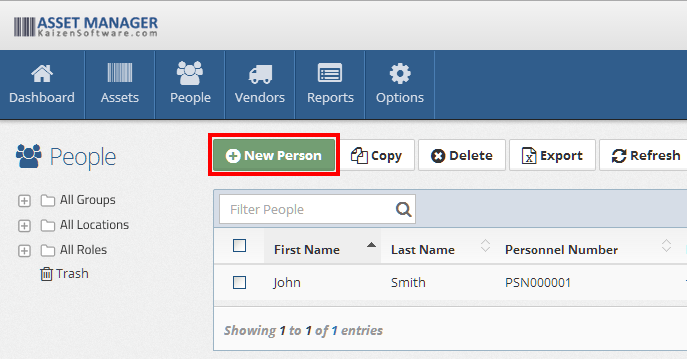
Navigate to People and click the New button in the toolbar.
Fields
| Field | Description |
|---|---|
| First Name | The person's first name (required) |
| Last Name | The person's last name (required) |
| Personnel Number | A unique identifier. Leave blank to auto-generate |
| Location | The person's primary location |
| Personnel Group | The group or department this person belongs to (e.g., Engineering, Facilities). Configured under Selection Fields |
| Job Title | The person's job title. Configured under Selection Fields |
| Email Address | Contact email |
| Work Phone Number | Contact phone number |
| Shift | The person's work shift, if applicable. Configured under Selection Fields |
| Photo | Upload a photo of the person |
Bulk import
If you need to add many people at once, use the import tool to upload a CSV file instead of creating records one at a time.